%201.svg)


.jpg)


What is bill of materials inventory management
BOM inventory management is a manufacturing approach that uses a Bill of Materials as the basis for planning, tracking, and controlling inventory.
A Bill of Materials defines everything required to build one unit of a product. The document lists each component, part, and raw material, along with exact quantities. A useful comparison is a recipe that specifies ingredients and measurements.
BOM inventory management applies this structure to calculate inventory needs. When production calls for 100 units, the system multiplies each BOM quantity by 100 to determine total component demand. This direct link between product demand and material requirements drives BOM-based inventory management.
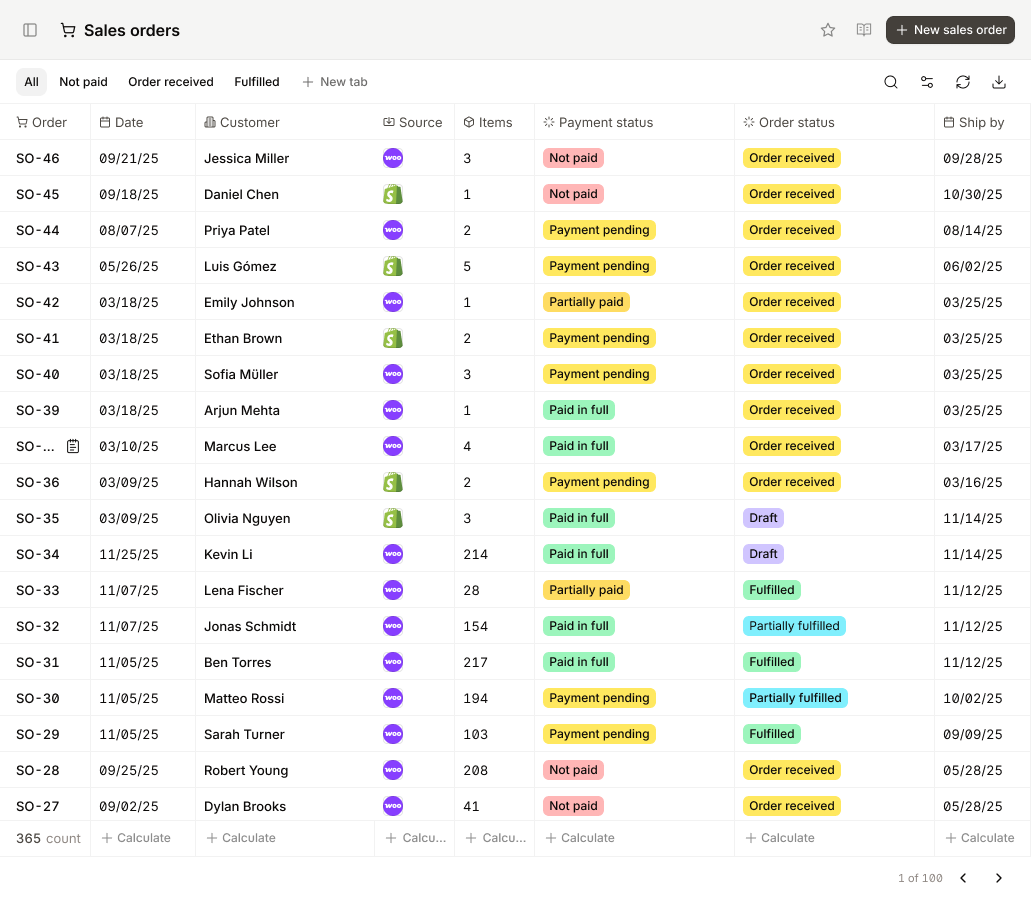
Using BOMs links product demand to inventory levels. When a sales order comes in, you can see right away whether you have the parts needed to build it.
Why BOM matters for manufacturing inventory control

As production grows, keeping inventory accurate by hand gets harder. A Bill of Materials is important because it shows exactly how finished products relate to their parts.
Using a BOM gives everyone a single source of truth. When systems and teams work from the same BOM data, they can:
- Figure out exactly how much material is needed for any production run
- Track whether parts are available for what’s being made
- Spot shortages before they hold up production
- Keep purchasing in line with manufacturing schedules
Without an accurate BOM, these calculations don’t work reliably. The BOM is what lets inventory systems link product demand to the parts needed.
11 Key components of an effective BOM
A BOM is a structured set of data that links product design to inventory and production. The exact details vary by industry, but good BOMs have key information that supports planning, costing, and controlling production.
Here's what a BOM includes:
1. BOM level
BOM level shows where a part sits in the product hierarchy. The finished product is Level 0. Direct subassemblies are Level 1. Parts inside those subassemblies are Level 2, and so on.
For example, in a car: the car itself is Level 0, the engine assembly is Level 1, and engine parts like pistons and gaskets are Level 2.
This hierarchy helps the system calculate material needs. When you build one Level 0 item, the system knows how many parts to pull from each lower level.
2. Part number (SKU)
The part number, or SKU, is a unique ID for each item in the BOM. It helps the system track, order, and use the right component every time.
Using unique part numbers prevents mistakes. For example, if the BOM calls for part BOLT-M8-25, the system won’t allow BOLT-M8-30, even if the sizes are similar. This keeps inventory accurate and ensures product quality.
3. Part name and description
Each part has a clear name and a detailed description. This can include material type, dimensions, or other important details. Clear names and descriptions help teams identify the right parts quickly and avoid errors during production.
4. Quantity
Quantity shows how many units of a part are needed to make one finished product. This number helps with inventory planning later. For example, if you need 500 finished products, the system knows exactly how many of each part to order or pull from stock.
5. Unit of measure (UOM)
Unit of Measure shows how a part is counted, such as pieces, kilograms, meters, liters, or boxes.
Using consistent units prevents mistakes. For example, if a part is bought in kilograms but the BOM lists it in grams, the system needs to convert correctly. Mismatched units can cause ordering mistakes and inventory problems.
6. Procurement type
This field shows whether a part is made in-house or bought from a supplier. It can also include preferred supplier details.
Procurement type tells the system how to handle demand. Purchased parts trigger purchase orders, while in-house parts trigger production orders for lower-level BOM components.
7. Unit cost
Unit cost shows the price of each part, including shipping or handling if needed.
Knowing costs helps calculate the total material cost for a finished product. The system multiplies each part’s unit cost by the quantity needed and adds them up. This supports pricing, margin analysis, and tracking profitability.
For example, a garment BOM might include fabric, lining, zippers, buttons, and packaging. The system calculates the total cost by adding up all the component costs.
8. Subassemblies and work-in-progress (WIP)
For multi-step production, BOMs include subassemblies, which are built before the final product.
Subassemblies have their own BOMs. The main BOM lists the subassembly as a component and specifies the quantity needed. When the system sees this, it calculates demand for all parts in the subassembly.
Work-in-progress is tracked by recording which subassemblies have been partially or fully built. This setup shows the full production flow and helps coordinate schedules across all stages.
9. Phase or lifecycle stage
This shows the product’s current status, such as prototype, active production, phase-out, or discontinued.
Tracking the lifecycle helps teams use the correct BOM and plan for part changes, obsolescence, or updates to the design.
10. Reference designators
Reference designators show exactly where a part goes in the final product. They are common in electronics and complex mechanical assemblies.
For example, "R15" might mark a specific resistor on a circuit board. This helps ensure correct assembly, quality checks, and easier troubleshooting.
11. BOM Notes
BOM notes include assembly instructions, special handling details, compliance information, or quality requirements that do not fit in other fields.
These notes help reduce assembly mistakes and make sure important information reaches the production team.
Together, all BOM components create a reliable system that keeps engineering, purchasing, inventory, and production aligned on what is needed to build each product.
9 Types of BOMs for Different Production Scenarios
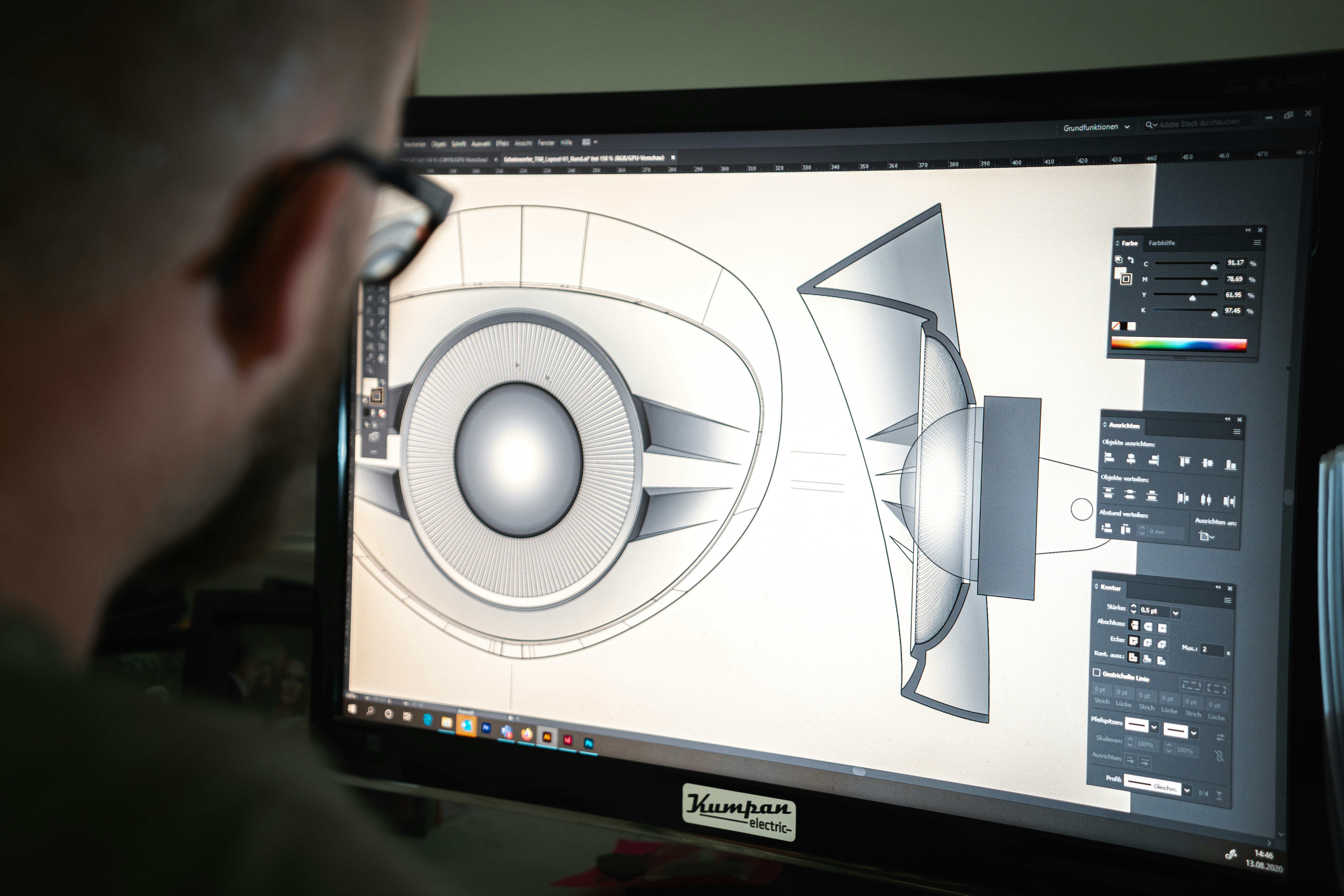
All BOMs represent the same product, but different types highlight specific details for particular purposes. Some focus on engineering design, others on manufacturing, procurement, or service. Each type organizes the same components in a way that makes it easier for a team to plan, build, or maintain the product.
1. Engineering BOM (EBOM)
- The EBOM shows the product as designed by engineering. It focuses on technical specifications and design intent, not manufacturing details.
- Used by: Engineering and product design teams
- Created in: CAD or PLM systems
- Purpose: Design validation, prototyping, version control
EBOMs are best for product design, R&D, and managing design changes. EBOMs need to be converted into Manufacturing BOMs before production can start.
2. Manufacturing BOM (MBOM)
The MBOM is the version used for production. It lists all components, subassemblies, fasteners, packaging, and assembly instructions needed to build the product on the shop floor.
- Used by: Production and operations teams
- Integrated with: ERP and inventory systems
- Purpose: Procurement, production planning, shop floor execution
MBOMs are best for make-to-stock and make-to-order manufacturing. MBOMs show real manufacturing processes and constraints, not just the original design.
3. Sales BOM (SBOM)
The SBOM shows the product from a sales perspective. It focuses on how components are bundled or configured for customers.
- Used by: Sales and marketing teams
- Purpose: Product configuration, quotations, customer-specific kits
SBOMs are best for quoting, product bundles, and configurable options. SBOMs are common for products where customers choose options or variations.
4. Service BOM
A Service BOM lists the parts and components needed for maintenance, repairs, or after-sales support.
- Used by: Service and support teams
- Purpose: Spare parts inventory, maintenance workflows, field repairs
Service BOMs are best for after-sales service, maintenance, and field operations. These BOMs make sure service teams have the right parts on hand for warranty work or ongoing maintenance.
5. Costed BOM
A Costed BOM includes the price of each component, helping track product costs and profitability.
- Used by: Finance and procurement teams
- Purpose: Calculate cost of goods sold (COGS), support pricing decisions, guide cost-reduction efforts
A costed BOM is best for budgeting, margin analysis, and comparing suppliers.
6. Planning BOM
A Planning BOM helps with forecasting and overall production planning, not direct shop floor execution.
- Used for: Demand forecasting, capacity planning
- Includes: Phantom items or product families
A planning BOM is best for seasonal industries, and high-mix/low-volume manufacturing. Planning BOMs help match supply with expected demand before actual orders come in.
7. Single-Level BOM
A Single-Level BOM lists all the parts needed to make a product without showing subassembly relationships.
- Structure: Flat list with no parent-child hierarchy
- Visibility: Limited view of how components depend on each other
These BOMs are best for simple products with few parts or minimal assembly
8. Multi-Level BOM (Indented BOM)
A Multi-Level BOM shows the full hierarchy of parent and child parts across assemblies and subassemblies.
- Structure: Nested levels showing how components roll up to the finished product
- Capability: Automatically calculates demand for all subcomponents
Multi-level BOMs are best for complex products like cars, electronics, or machinery.
9. Configurable BOM (CBOM)
A Configurable BOM supports products with multiple options or customizations.
- Capability: Adjusts component selection based on customer choices
- Common in: Build-to-order or mass customization
Configurable BOMs are best for custom products, configurable SKUs, and made-to-order production.
Each BOM type has a specific purpose. Picking the right type ensures all teams work from accurate, relevant data.
5 Benefits of BOM based inventory management
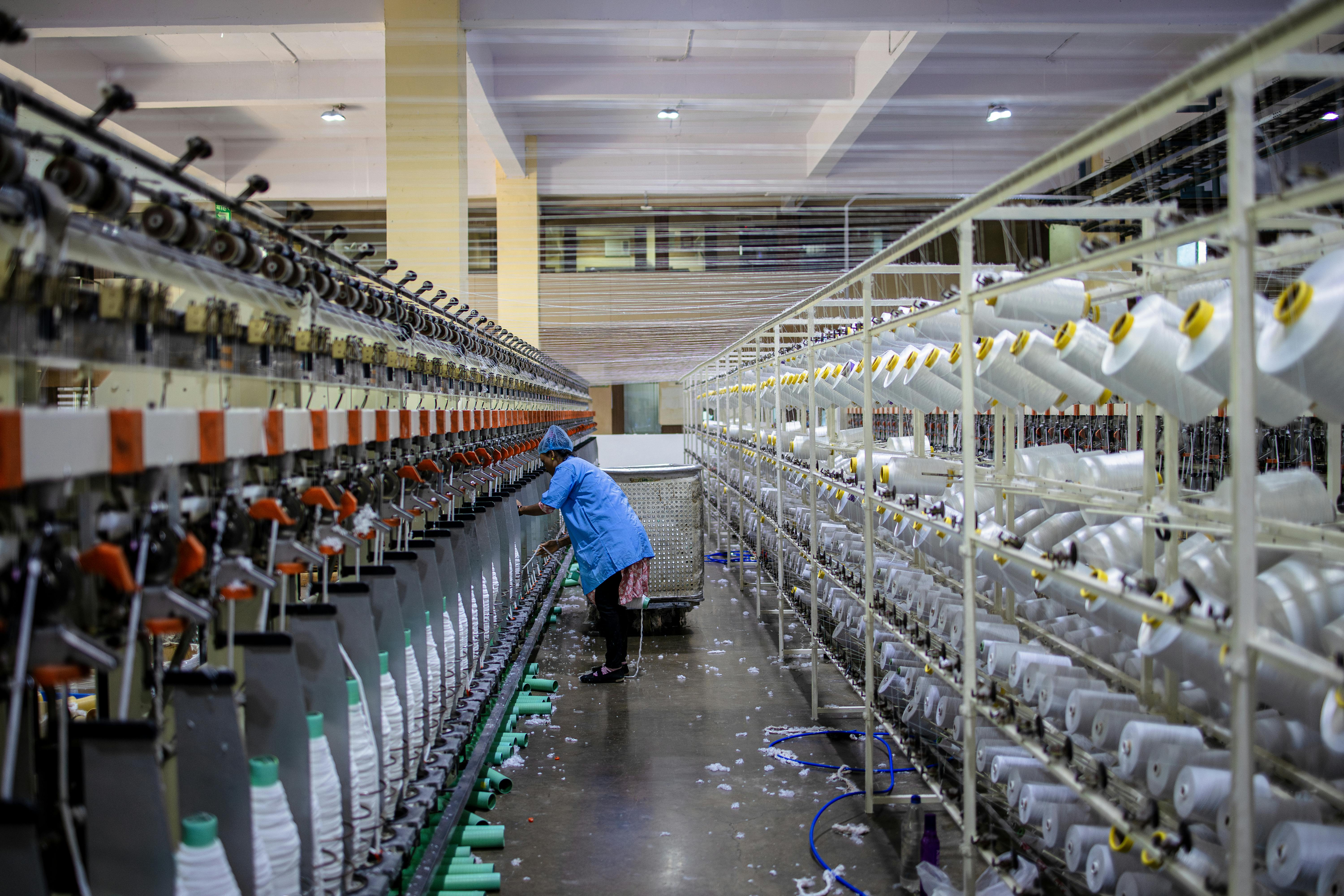
Using a Bill of Materials to manage inventory creates a direct link between production demand and material requirements. This approach improves control over inventory levels, costs, and production execution.
1. Accurate material planning
BOM-based inventory management turns production plans into precise material requirements. Each finished product is tied to its components and subassemblies, so planners know exactly what needs to be available, in what quantities, and when.
For example, if you need to build five bikes and each bike requires two wheels, the system calculates a total demand of 10 wheels. This prevents situations where builds are delayed because components were never planned correctly.
2. Reduced inventory costs
By purchasing materials based on BOM requirements, manufacturers avoid overbuying, excess stock, and unnecessary carrying costs. Inventory is held because it is actually needed.
BOM-level cost tracking automatically rolls material costs up through the product structure. This gives finance and operations teams a clear view of total product costs, margins, and pricing decisions.
3. Faster material decisions
When BOMs are connected to inventory and purchasing, material decisions happen automatically. Teams can quickly see if a production order is ready, identify shortages early, and trigger purchasing before delays occur.
This reduces last-minute problems, shortens lead times, and keeps production moving smoothly because material availability is known in advance.
4. Lower operational risk
Accurate BOMs reduce operational risk by making sure everyone works from the same, up-to-date data. Errors from incorrect part numbers, outdated quantities, or missing components are minimized.
BOM-driven systems also provide traceability, linking materials and components to finished products. This makes investigating quality issues, managing recalls, and meeting regulatory requirements easier and more reliable.
5. Scalable production
As product lines grow and assemblies become more complex, manual BOM management fails. BOM-based inventory management supports multi-level assemblies, shared components, and product variants without adding operational chaos.
This allows manufacturers to introduce new products, manage configurations, and increase production volume without multiplying spreadsheets, manual work, or inventory risk.
Common BOM inventory management challenges

Managing BOMs gets harder as products become more complex, customizable, or high-volume. Most problems come from how BOMs are created, updated, and integrated with other systems.
1. Errors from manual data entry
Spreadsheets and manual updates lead to mistakes: wrong part numbers, missing components, or incorrect quantities. Even small errors can disrupt production, skew inventory levels, and create costly rework.
Solution: Use BOM-specific software with validation rules, automated calculations, and centralized data storage to reduce errors and keep data consistent.
2. BOMs falling out of date
Design changes, supplier updates, and new product versions happen constantly. If BOMs aren’t updated in real time, teams may build with outdated materials or face unexpected delays.
Solution: Set up structured change management with automated notifications. When a revision occurs, all teams get alerts and work from the latest version.
3. Managing multiple products and variants
Shared components across different product lines can create duplication, confusion, and inventory imbalances without proper structure.
Solution: Use standardized templates and reusable subassemblies. This simplifies managing variations, applying updates, and keeping BOMs organized as your catalog grows.
4. Disconnected systems and data silos
BOMs in spreadsheets or standalone tools don’t sync with ERP, MRP, or inventory systems. This creates multiple versions of truth and increases ordering and accounting errors.
Solution: Integrate BOM management with ERP or inventory software. A centralized system ensures accurate inventory, cleaner financials, and better coordination across teams.
5. Complexity of multilevel BOMs
Products with subassemblies are hard to track manually. Managing hierarchies, shared components, and variants quickly becomes unmanageable in spreadsheets.
Solution: Use BOM software designed for multilevel hierarchies. These tools maintain parent-child relationships and automatically update all affected components.
6. Difficulty Ccalculating costs and quantities
Multilevel BOMs require rolling up quantities, costs, and material requirements. Manual calculations are slow and prone to errors.
Solution: Automate quantity rollups and cost calculations. This gives accurate product costs, better forecasting, and clearer insights into profitability.
7. Poor communication across teams
When departments aren’t aligned on the same BOM data, it leads to wrong orders, mismatched inventory, and delayed production.
Solution: Create a single source of truth with shared access and real-time updates so all teams stay aligned.
7 Best Practices for BOM Management
Effective BOM management depends on keeping data consistent, accurate, and connected across the organization.
1. Establish a governed BOM foundation
Define BOM types, naming rules, version control, and approval workflows. This ensures everyone works from the same trusted source.
2. Use connected, real-time BOMs
Integrate BOMs with inventory, production planning, and purchasing systems. Changes should automatically update across all operations in real time.
3. Plan inventory and production from demand
Translate forecasts and orders into precise material requirements. This keeps inventory lean and purchasing aligned with actual production needs.
4. Collaborate with suppliers through BOM data
Share accurate BOM information with suppliers. Include lead times, substitution options, and availability to make planning proactive and reduce delays.
5. Maintain accurate cost visibility
Track costs at the BOM level to calculate product costs accurately. This helps identify opportunities to reduce material, labor, or overhead expenses.
6. Embed quality and traceability into BOMs
Link serial numbers or lot numbers to BOM components. This makes it easier to investigate quality issues, manage recalls, and meet regulatory requirements.
7. Review and improve BOMs continuously
Regularly audit and update BOMs to reflect changes in products, suppliers, or processes. Continuous review keeps data accurate and reliable.
Choosing the right BOM software solution
Not all BOM software works the same. Some tools focus on engineering documentation, while others focus on inventory control, production planning, and execution.
When picking BOM software for inventory management, look for these features:
Multi-level BOM support
The system should handle subassemblies and nested components automatically. Material demand should roll up from finished goods to raw materials without manual calculation.
Real-time inventory integration
BOMs should link to live inventory data so material requirements, reorder points, and stock levels stay accurate as production moves.
Clear distinction between purchased and manufactured items
The system should show which components are sourced from suppliers and which are built in-house so demand flows correctly into purchasing or production.
Automatic quantity and demand rollups
Component quantities should update automatically across all BOM levels when production plans or orders change.
Version control and auditability
As products evolve, BOMs change. The system should track version history so teams always know which BOM is current and what changed.
Ease of use for operations teams
Planners, buyers, and inventory managers should be able to use the software without engineering expertise.
For manufacturers focused on inventory accuracy and production execution, BOM software must integrate tightly with purchasing, inventory, and shop floor workflows.
Getting started with digit's BOM inventory management

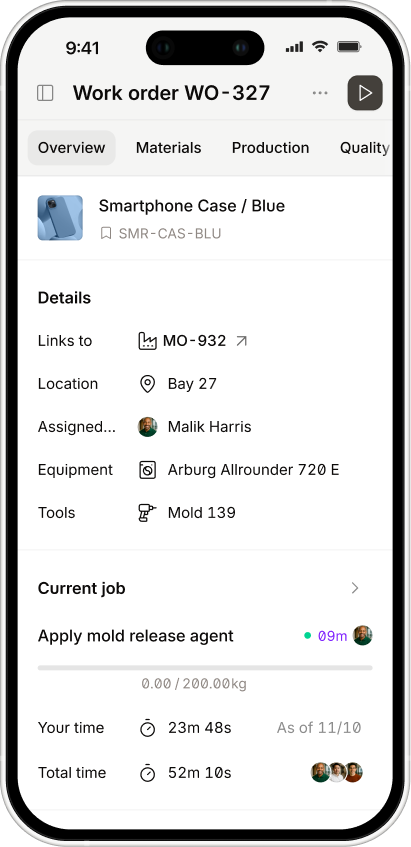
Digit treats the Bill of Materials as a live tool rather than a static document. BOMs drive inventory accuracy, production planning, and purchasing decisions.
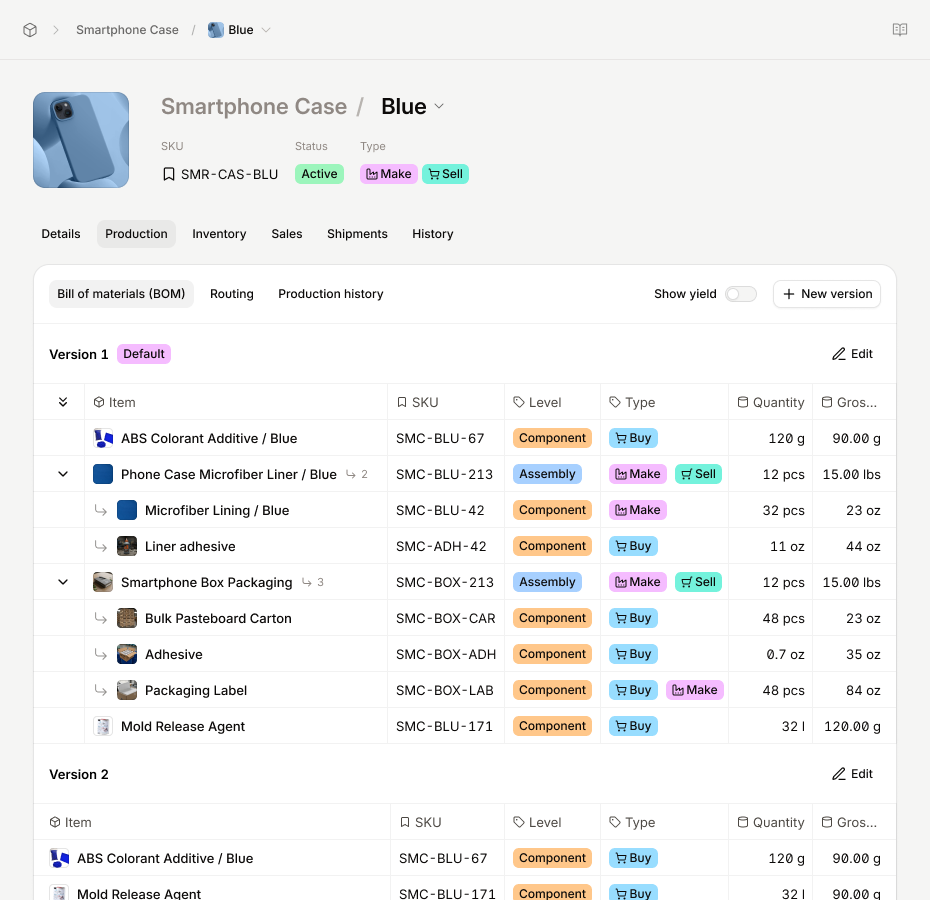
In Digit, BOMs are part of each item record. You can create one or more BOM versions for a product, so teams can manage changes without disrupting production.
Here’s how Digit makes BOM-based inventory management work:
- Operational BOM structure: BOMs show the materials and quantities needed to actually make a product, not just what the design specifies.
- Clear material sourcing: Components are marked as purchased or made in-house, helping purchasing and production stay aligned.
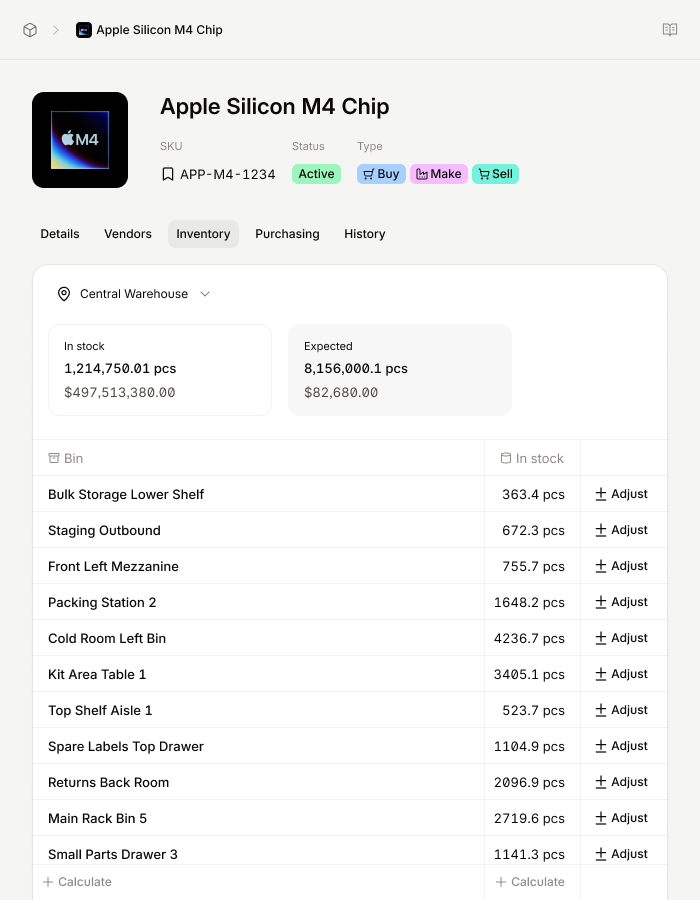
- Inventory-aware planning: BOMs connect to inventory so teams can see what is available and identify shortages early.
- Support for iteration: BOMs can be updated as products and processes change, reducing reliance on spreadsheets.
- Single source of truth: Linking BOMs with items, inventory, and production creates one centralized system everyone can trust.
By connecting BOMs directly to inventory and production, Digit helps manufacturers reduce manual tracking, avoid mistakes, and keep teams working from accurate, up-to-date information.



%20(1).jpg)
.jpg)